Access and Connecting
Prerequisites
The cluster is a resource available only on the University of Latvia network. If you want to use it while outside LU premises, you must use the LU VPN.
Requesting Access
To gain access to cluster resources, you need to send a request to: hpc@lu.lv
After receiving the request, the administrators will create a Waldur project and send you an invitation to join it.
After accepting the invitation and completing registration, you will receive a Waldur user account, which you can use to access cluster resources via an SSH connection or Open OnDemand.
If you are granted the appropriate permissions within the project, you will later be able to invite other users to your project in the Waldur environment.
Requesting a new project
If you already have a Waldur user account and need a new project, please write to hpc@lu.lv. New users cannot independently request a new project, at the moment.
Connecting to the Cluster via SSH Using a Waldur User Account
It is possible to add your SSH public key to your Waldur account, which allows you to connect to the cluster via SSH using your Waldur user account.
Signing in to the Waldur Portal
Open the Waldur portal: https://nohap.hpc-net.lv/ and sign in with your LU account.
Adding your SSH Key
In the upper-right corner of the page, click on your initials, then select Credentials and open the SSH keys section.
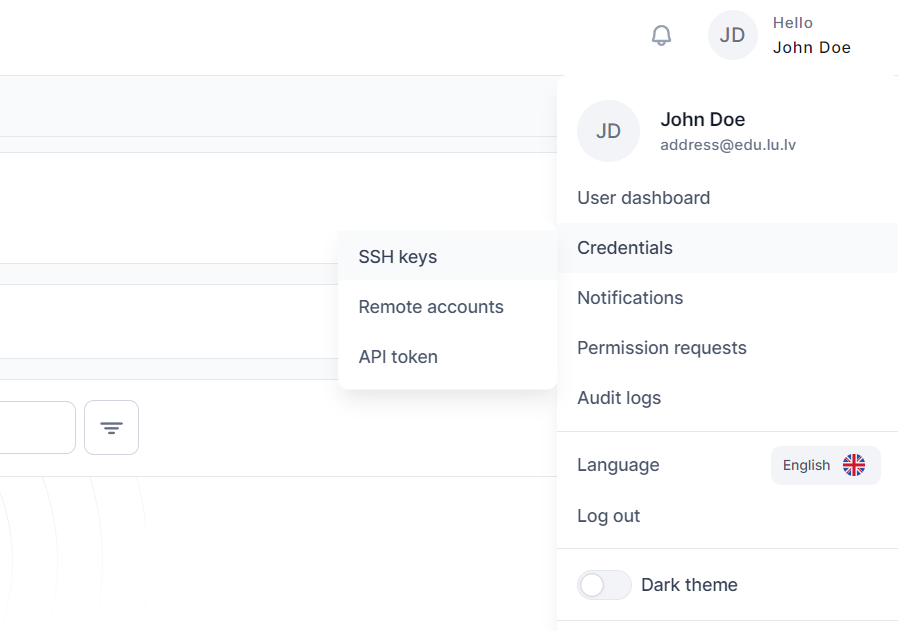
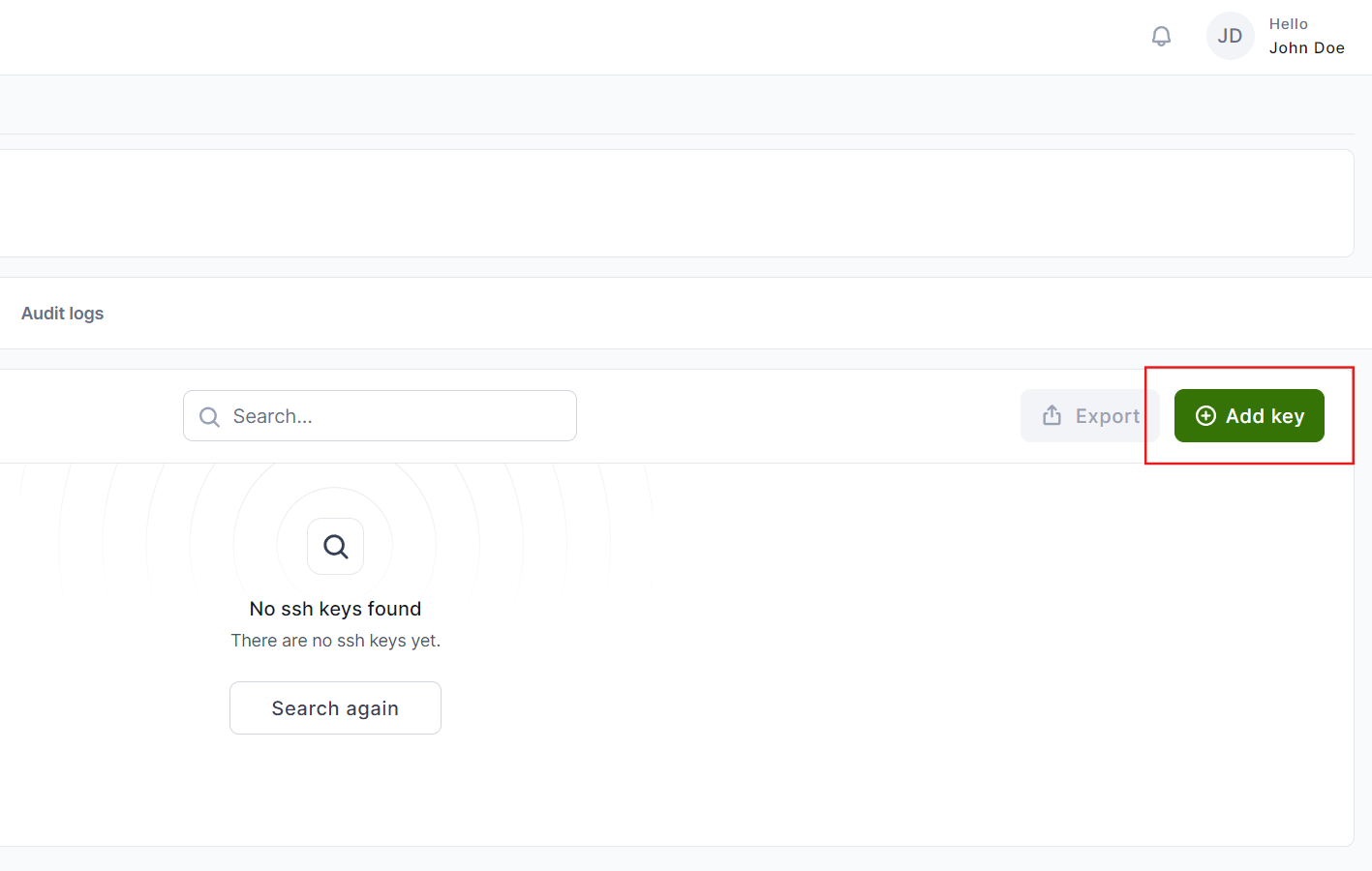
In this section, add the public SSH key generated by your SSH client.
Finding Your Username
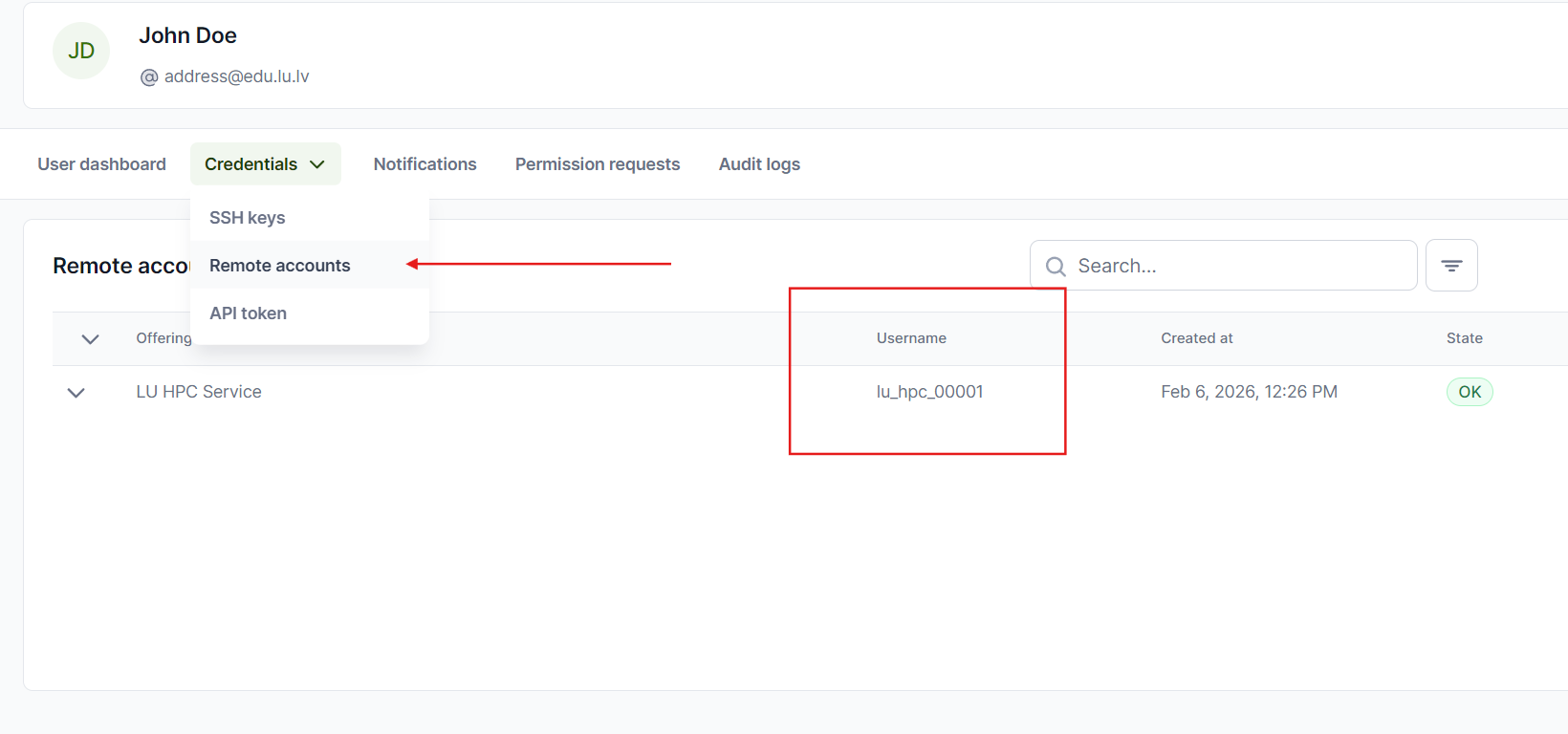
In the same Credentials section, open Remote accounts.
In the table, you will see a Username entry with your automatically created username.
Connecting to the Cluster via SSH
Connection to the computing cluster is established using a Secure Shell (SSH) connection.
To connect to the cluster, use an SSH connection to hpc.lu.lv (port 22).
The connection will take you to the hpc-login node.
ssh <username>@hpc.lu.lv
Connecting to the cluster via Open OnDemand
In addition to terminal access, the cluster can also be accessed using the Open OnDemand web portal, available at https://ood.hpc.lu.lv/.
Open OnDemand (OOD) is a web platform that allows access to the cluster without a VPN connection.
To connect:
- Open https://ood.hpc.lu.lv/ in your web browser
- Authenticate using your university credentials and e-signature
Gaining access
To use OpenOnDemand, a Waldur user account is required. If you'd like to get an account, contact the administrators by sending a request to hpc@lu.lv
Connecting to the cluster using PuTTY.
On Windows operating systems, you can use the PuTTY program for this purpose. The parameters to enter (connection type, IP address, port) are shown in the image below.
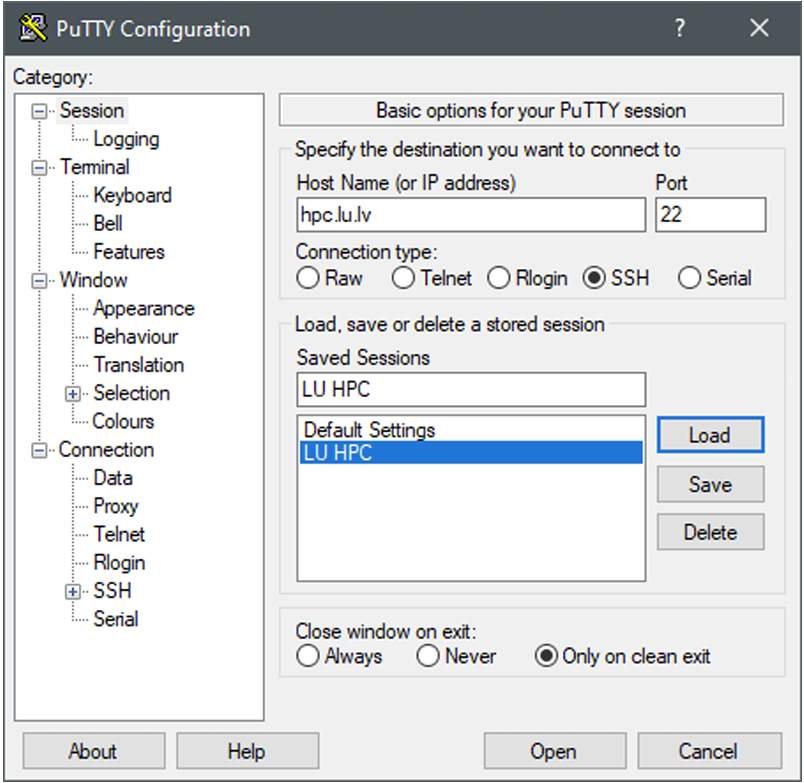
After opening the connection, you will be prompted for a username and password. Once you’ve entered them, you can use the computer with Unix command-line commands.